 Zombiv
Best Photos for an AI Zombie Love Story
A practical checklist for two adult character portraits: role order, face visibility, lighting, file limits, permission and common upload problems.
Start with the role, then pick the portrait
Zombiv uses two photos as character references for one fixed Zombie Love Story. Photo 1 plays the Survivor, who recognizes their loved one. Photo 2 plays the Zombie, that loved one. Both references guide the complete story; they are not the first and last video frames. The output can change appearances and continuity, so treat the photos as guidance rather than a guarantee of exact likeness.
Before you select files, decide who should play each role and obtain permission from both adults. You must be at least 18. Avoid celebrity impersonation, deceptive uses and prohibited material. See Acceptable Use. Choosing a technically clear portrait does not supply permission you do not have.
What a useful reference looks like
Use one person per image, with their face large enough to see clearly. A front-facing or modest three-quarter portrait is easier to assess than a distant full-body shot or a strongly turned profile. Show the eyes, nose, mouth and jaw without a hand, phone or other obstruction covering them. These are practical selection guidelines, not measured success-rate claims.
Prefer even light across the face. A dim face against a bright window, clipped highlights, or a deep shadow can hide details that the model needs. Keep ordinary skin texture; strong beauty filters, face reshaping and heavy blur can remove useful information. A quiet background makes the subject easier to identify.
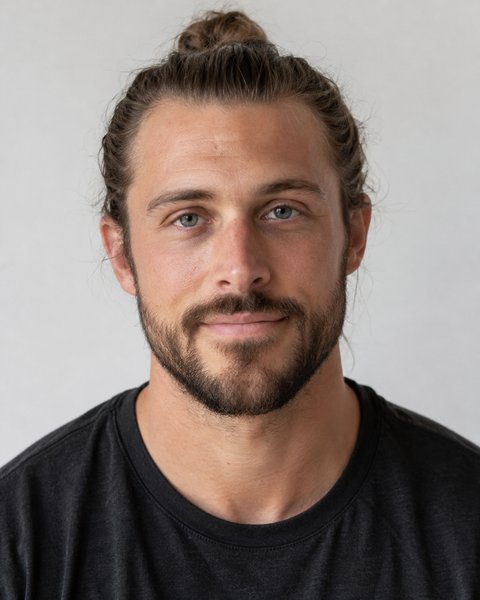
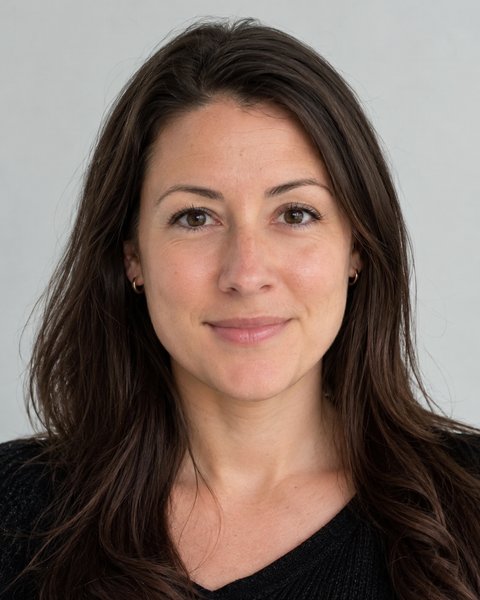
Our sample's two supplied portraits illustrate visible faces, even lighting and one subject per image. They do not establish that one gender, hairstyle or pairing performs better. Watch the actual sample and assess the result yourself.
A checklist before uploading
- One adult per photo, with permission for synthetic storytelling.
- The Survivor goes in Photo 1; the Zombie goes in Photo 2.
- Face visible at useful size, with eyes and mouth unobstructed.
- Reasonably sharp original, without strong filters or blur.
- JPG, PNG or WebP, no more than 10 MB each.
- At least 300 pixels on each side, with a moderate portrait or landscape shape.
The app checks the actual image bytes and dimensions. It rejects images above 40 million pixels and extreme aspect ratios outside 0.4–2.5. A screenshot of a tiny portrait can meet a file-size limit while still giving the model very little face detail. Export a fresh image from the original instead of stretching a small picture to satisfy the minimum dimensions.
Photos worth replacing
Group photos: they leave more than one possible character. Choose a separate portrait of the intended adult. Do not assume the app will know which person you mean.
Obstructed faces: sunglasses, large masks, a phone or a hand can conceal features. Ordinary glasses can be present, but strong glare can hide the eyes. Prefer a photo without that glare when you have one.
Very different treatments: a heavily filtered illustration for one role and a low-light photograph for the other can provide inconsistent visual cues. That does not prove failure, but ordinary clear portraits are a more understandable starting point.
Tiny or compressed images: repeated social-media compression can create blocky edges and smeared features. Use a larger original when possible. Uploading a very large file does not create a quality guarantee; the app normalizes accepted images before use.
Images you cannot authorize: do not use a stranger's photo, a celebrity image or material that violates the Acceptable Use Policy. If the provider rejects the input, check the reason and use suitable material; do not repeatedly resubmit the same prohibited photo.
Verify selection and upload separately
Open the Generator, select both portraits, and compare the two previews with the role labels. Replace a photo if the pair or order is wrong. A local preview means the browser selected the file. Wait for Uploaded and verified after sign-in and upload before treating it as a validated input.
The app removes EXIF metadata and stores uploaded inputs privately. Photos are not placed into page URLs or analytics. Inputs have a 24-hour validity window; if you return after expiration, reselect the originals. Clearing photos invalidates the active draft inputs and schedules cleanup. Provider retention is separate, as explained in Privacy.
Good photos cannot guarantee the finished film
Standard customer generation requests 480p, about 12 seconds, vertical 9:16 and native audio. Our separately labelled 720p promotional sample does not change that package. AI may alter facial details, clothing, expressions, movement, sound and the match cut. We do not have comparative tests proving which photo type wins, and there is no likeness or completion-time guarantee.
Play the full result before sharing. If a video cannot be delivered, eligible generation Credits return once; this is separate from a cash refund. See pricing and included features, Refund Policy, and the complete two-photo tutorial. For order or creation problems, use account support or support@zombiv.com.